

We are excited to introduce a new way to control when your requests can be fulfilled.
With this update, you can define exactly when a creator should show up. Whether the timing is open, spread across recurring days, or tied to specific events, you now have full control.
This update makes scheduling simpler, reduces the need for follow ups, and helps creators know exactly what is expected from the start.
When you create a request, you will now be asked when the shoot should take place. There are three options to choose from.
This option keeps its original functionality and has no restrictions. The creator decides when to complete the shoot.
This works best when timing does not matter or when you want to keep things completely flexible.
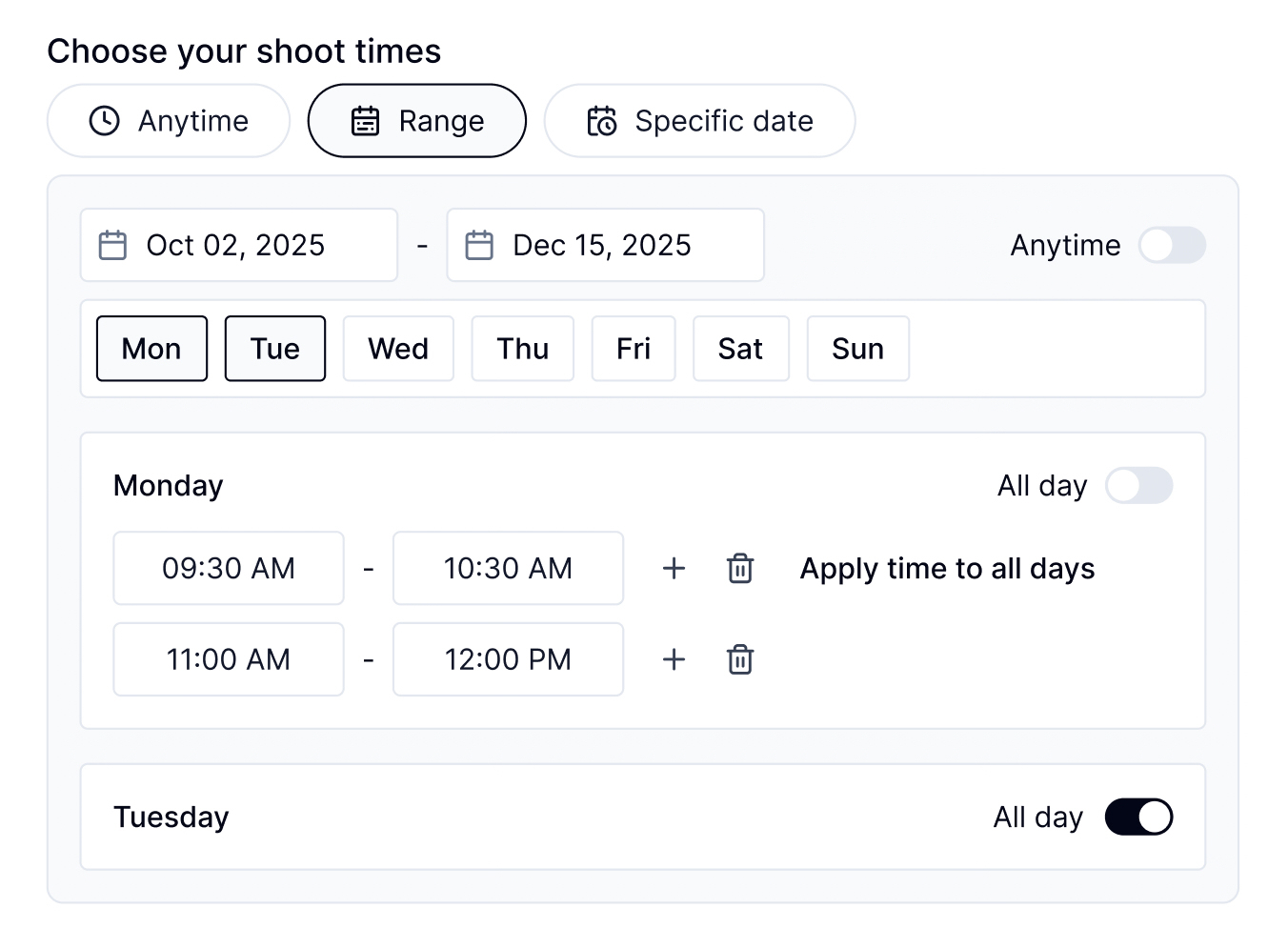
You can still pick a start and end date. Now you can also select which days of the week the shoot can take place and define specific time slots for each.
You can mark a day as available all day, or add multiple slots such as 9 AM to 12 PM and 1 PM to 4 PM. These can be copied across days or customized individually.
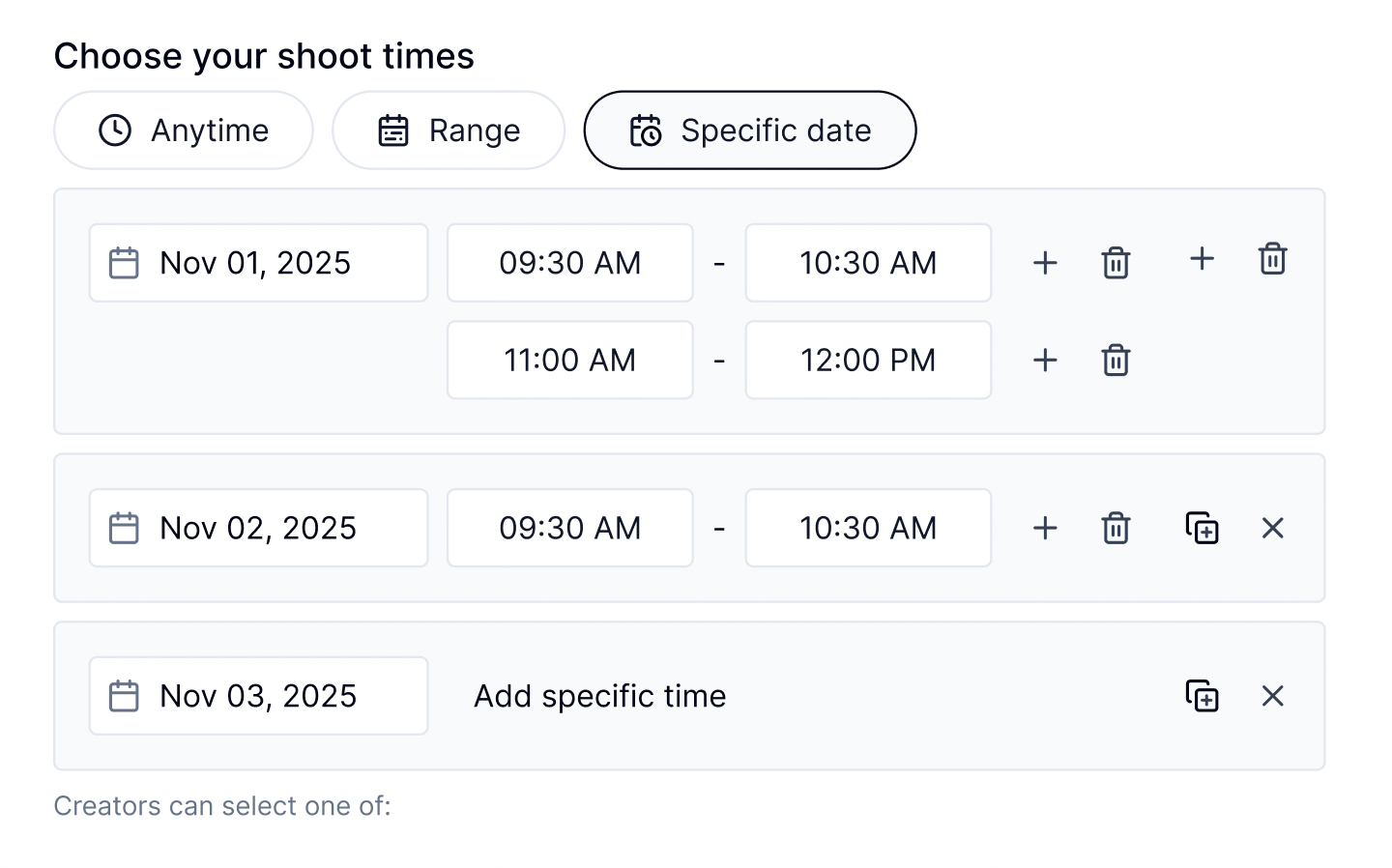
This new option lets you choose one or more exact dates and assign time windows to each.
You can set a unique time per date or duplicate the same time across several. This is perfect for shoots tied to calendar events, product launches, or one time activations.
Once your request is live and approved by our operations team, creators will see the full schedule you have defined.
They will see:
Creators can then choose one time that works for them. This helps reduce confusion, sets clear expectations, and improves on time delivery.
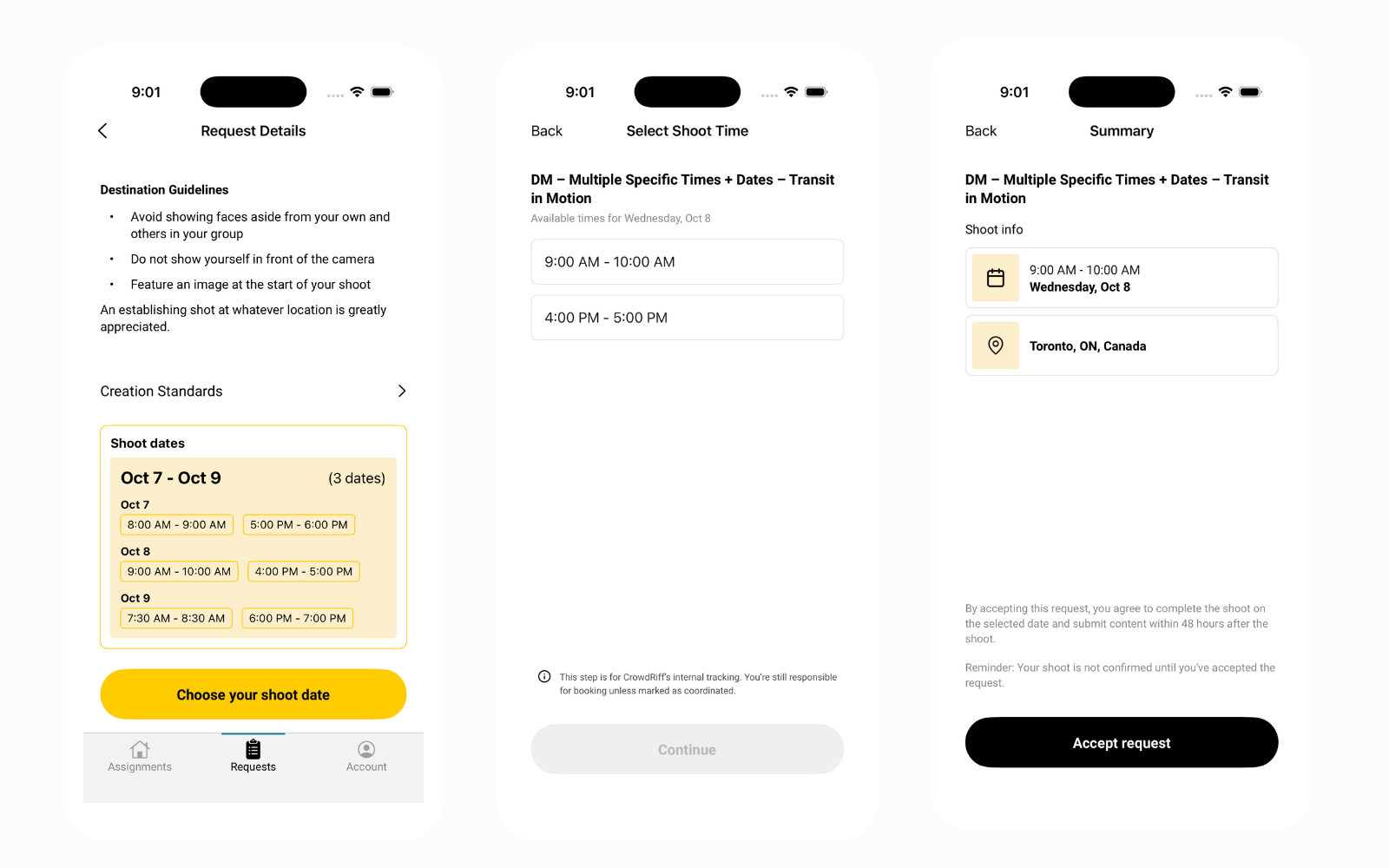
Here is how customers are already using these new options.
These scheduling tools give you more control and reduce the effort needed to coordinate shoots.
They help you:
This makes the entire process smoother for everyone involved.
Log in and create a new request to try the updated scheduling step. Once you enter the title, location, and creative brief, you will see the new time options in the flow.
If you have questions or feedback, reach out to your Customer Success Manager or contact our support team. We would love to hear how this helps your team.


